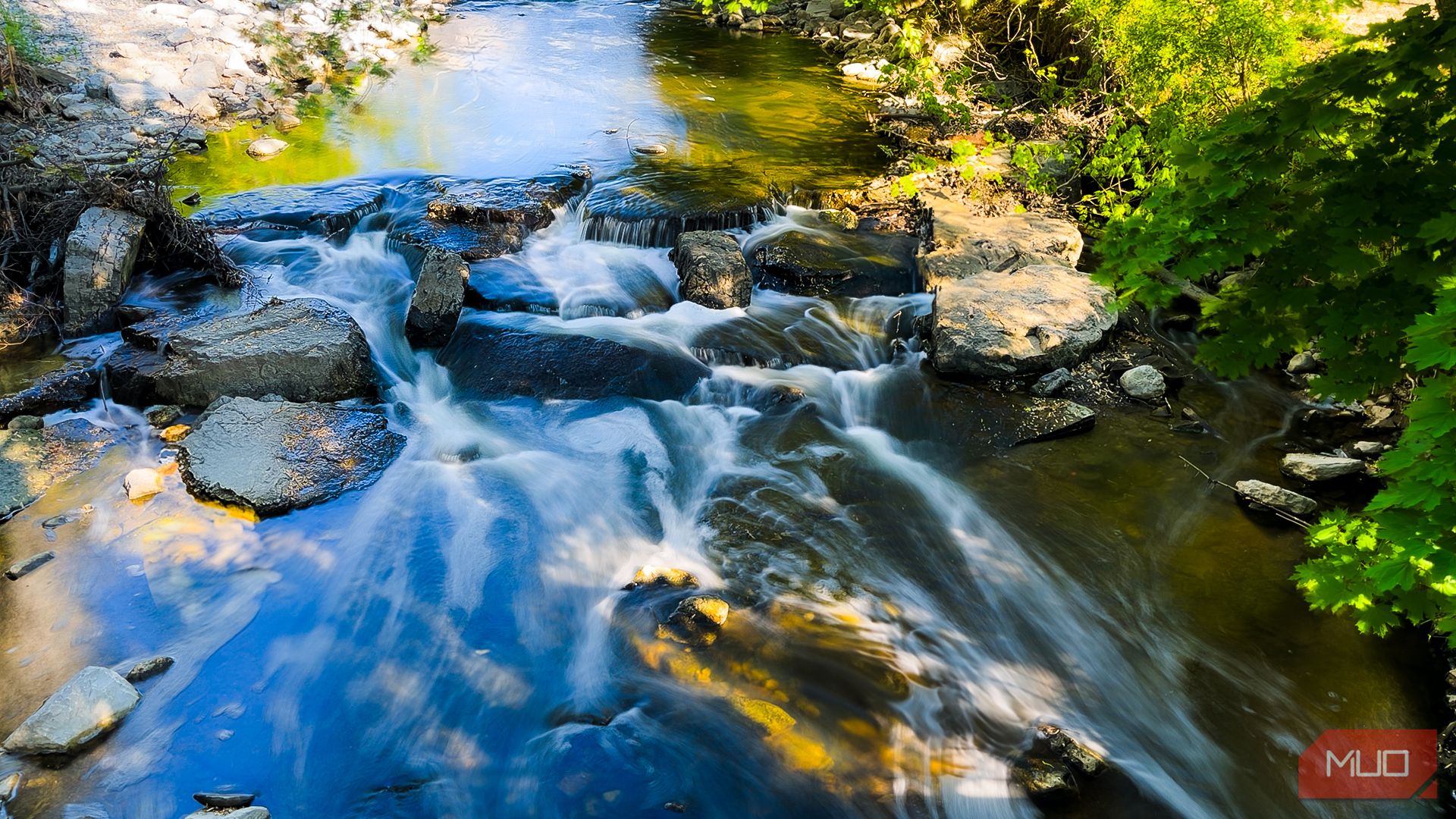
Long Exposure Photography with Your Smartphone: A Guide
Capturing long exposure photographs doesn’t require bulky camera equipment anymore; with just a mobile phone and some clever techniques, impressive results are within reach. If you’re intrigued by the potential of smartphone photography yet hesitant about the quality, don’t be. A low-cost mobile tripod and creative adjustments can elevate your pictures significantly.
Utilizing the iPhone’s Live Photos Feature
Traditionally, capturing long exposure images calls for a camera where you can manipulate the exposure triangle—aperture, shutter speed, and ISO. However, mobile photography often lacks the ability to adjust shutter speed, limiting creative possibilities. While many smartphones feature a night mode that provides some control over exposure settings, these options may fall short for artistic endeavors.
One effective workaround on the iPhone is to leverage the Live Photos feature. When activated, a live photo captures 1.5 seconds of footage both before and after the shot. In the photo editor, you have the option to transform these live photos into long exposure images. While this method is quick and user-friendly, it often suffers from a decrease in clarity, with particularly fine details, such as rocky textures, appearing blurred. Moreover, exposure is restricted to a maximum of three seconds, which may not offer the creative flexibility some photographers desire.
Exploring the Slow Shutter Cam App
For those who prefer not to carry larger cameras, the Slow Shutter Cam app serves as a valuable tool for achieving long exposure effects. Priced at $2.99, this app delivers a user-friendly interface with three primary modes: Long Exposure, Light Trails, and Low Light. It also allows you to lock exposure and focus—an essential feature when facing fluctuating lighting conditions or moving subjects.
In my experience with the long exposure option, I found the quality of the images to be quite impressive. The app also includes a ‘bulb’ setting, enabling users to keep the shutter open for extended periods, offering a higher level of control over exposure times.
Selecting a Subject for Creative Photography
Upon mastering shutter speed control, the next step is identifying a compelling subject. For a successful long exposure, the subject typically should exhibit motion, as this creates the desired ethereal effect. Common subjects include flowing water, moving vehicles, or drifting clouds. Fortunately, a small stream nearby provided an ideal setting without the need for extensive travel.
As a wildlife photographer accustomed to zoomed-in shots, adjusting to the wide-angle lens of my smartphone presented a challenge. Even with advanced tools at your disposal, successfully composing a frame demands patience and a discerning eye. To enhance my photos, I utilized Lightroom for mobile editing, focusing on achieving clean shots by eliminating background distractions—an important consideration to streamline the editing process.
Finding the right composition proved to be the most daunting task in this venture. As many photographers know, composition is vital for creating impactful images.
Importance of a Tripod
When capturing images with a slow shutter speed, stabilizing the camera is crucial to prevent blurriness, even from minor movements. A proper tripod enables the photographer to adjust angles meticulously. I opted for an affordable mobile tripod that doubles as a selfie stick.
If a tripod is unavailable, consider creative solutions such as using structures like bridges or railings, ensuring that the phone is securely placed to avoid any unwanted falls. Alternative support like a backpack or rocks can also work, as long as the phone remains stationary.
Advantages of a Wireless Shutter Release
In long exposure photography, a wireless shutter release adds convenience by keeping your phone hands-free during the shot. Options include using headphones or AirPods to trigger the shutter. Alternatively, the timer feature on the Slow Shutter Cam app can be employed, although this may introduce a brief delay before the shot is taken.
Experimenting with Shutter Speed for Various Effects
The Slow Shutter Cam app allows for adjustment of shutter speed and blur intensity. Experimenting with different settings can yield exciting results. For exposures over 30 seconds, the ‘bulb’ mode comes in handy, maintaining the shutter’s openness as long as you press the button. It’s important to have a remote shutter release for optimal results, but the timer function—albeit a bit cumbersome due to direct interaction with the device—remains a viable option.
The Significance of Editing
Even with a capable smartphone camera and app, effective photo editing is essential to enhance your images. My preferred editing tool is Lightroom for mobile, having transitioned from using Lightroom Classic on my computer. I generally adopt a minimalistic editing approach, subtly enhancing colors and quality without going overboard.
Initial adjustments often focus on exposure, highlights, and shadows, while I also like to amplify the saturation and vibrance. Using the erase tool in Lightroom, I can eliminate distracting elements from the photo, such as unwanted rocks or twigs. When I found that certain light streams were unflattering, I opted for a black-and-white version that helped streamline the composition.
Capturing Artistic Long Exposure Photos with Your Smartphone
To embark on your own long exposure photography journey, seek inspiration from online examples and scout local spots, such as waterfalls or bustling streets, where captivating light trails can be found. Remember, photography is about creating an artful image, not just capturing snapshots. Therefore, thoughtful planning will enhance your experience and help you return with stunning photographs.