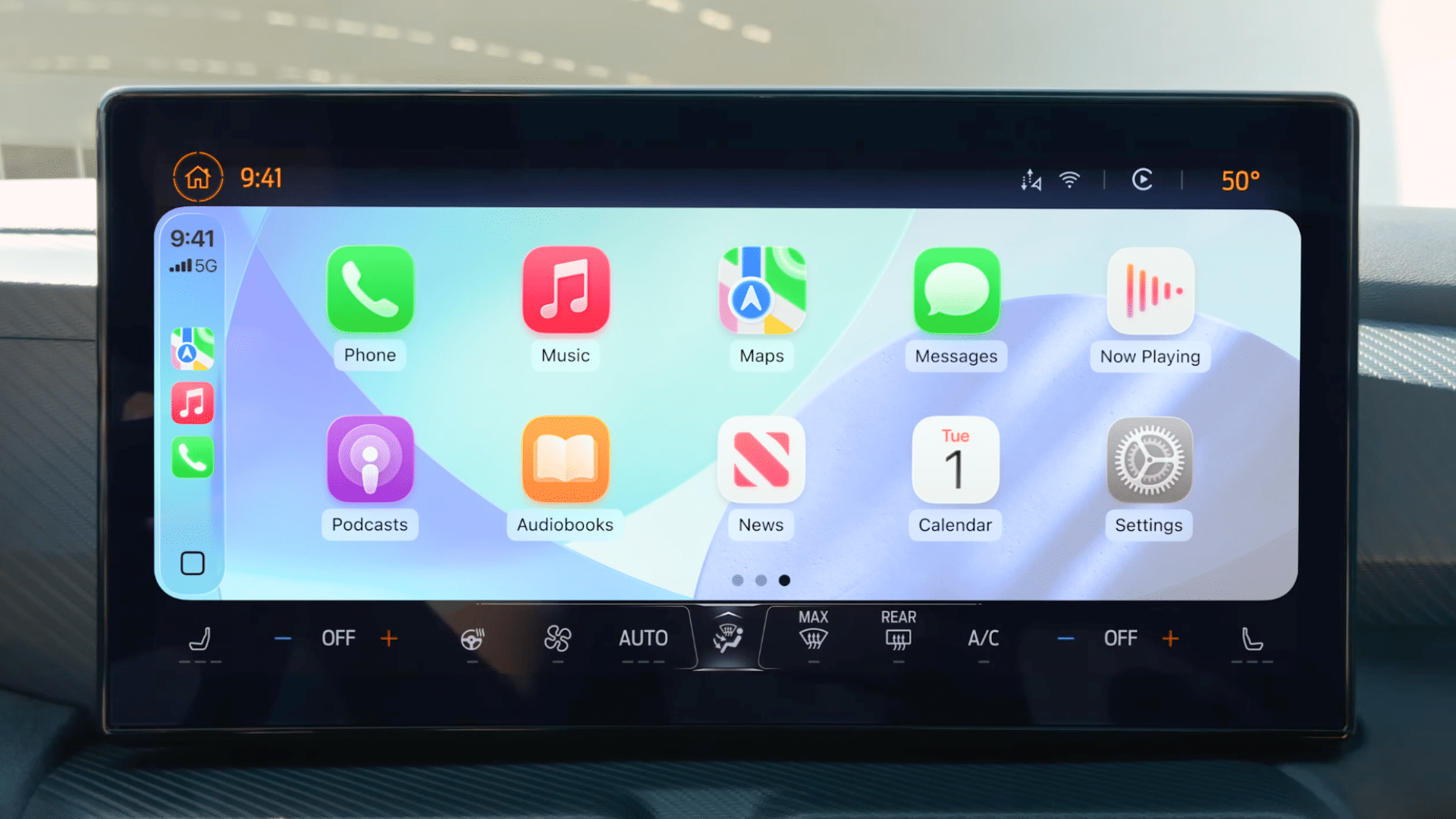
At WWDC 2025, Apple introduced iOS 26, showcasing transformative features for CarPlay that aim to enhance user interaction with in-vehicle technology. This enhanced CarPlay experience will be accessible to iPhone users with compatible devices upon the release of iOS 26 later this year.
### Enhanced Visual Design with Liquid Glass
A standout feature of iOS 26 is the incorporation of a Liquid Glass design into the car’s infotainment systems, achieving a unified aesthetic across devices. This new design introduces translucent and reflective layers within the user interface, rounded widget edges, and a glass-like finish, reminiscent of the iOS 26 interface. Icons for core applications—such as Phone, Music, Maps, Messages, and Podcasts—will now feature a more dynamic and vibrant appearance with rounded edges, making them visually appealing in both light and dark themes. The background visuals showcased by Apple hint at a design theme similar to the blue background seen in iOS 26.
### Simplified Call Notifications
Historically, incoming calls on CarPlay took over the entire screen, creating distractions for drivers during navigation. However, the latest CarPlay update presents calls in a more streamlined manner. When a call arrives while navigation is maximized, it now appears as a compact horizontal bar at the bottom of the display, showing the caller’s name alongside accept and reject buttons. This design allows users to stay focused on their navigation while still being informed about incoming calls.
### Interactive Messaging Features
iOS 26 also enhances the messaging experience in CarPlay with the introduction of tapbacks. Users can now respond to incoming messages using emoji reactions, similar to those found on iOS messaging. For example, if a friend texts that they have arrived at the meeting spot, you can quickly tap the thumbs-up reaction to acknowledge. Moreover, CarPlay now allows for pinned conversations in Messages, allowing users to conveniently access important chats without excessive scrolling. By pinning a contact, their conversation will be prioritized at the top of the app, marked with a blue dot for new messages.
### Introduction of Widgets and Live Activities
Another significant update in iOS 26 is the introduction of widgets to the CarPlay interface. These widgets provide a quick reference for various types of information, including calendar reminders, smart home device controls, and current weather conditions. Additionally, Apple is bringing Live Activities—a feature popular on iPhones—to CarPlay. This will enable users to view information about ongoing activities like flight statuses or food delivery updates without needing to unlock their phone or switch applications, thus promoting safe driving practices. Developers will be able to create widgets and Live Activities for both iPhones and CarPlay, ensuring a consistent experience across platforms.
### Updates for CarPlay Ultra
All the enhancements, including compact call notifications, tapbacks, pinned messages, widgets, and Live Activities, will also be available for CarPlay Ultra. While this advanced version of CarPlay is currently featured in the latest Aston Martin models in the United States, expansion to other global markets is expected within the next year. Other manufacturers such as Hyundai, Kia, Audi, Ford, and Porsche are also in the process of integrating CarPlay Ultra into their vehicle designs.
CarPlay Ultra takes the in-car experience further by fully integrating with the driver information screen, which includes essential details like speed and fuel levels. This version allows users to access vital vehicle functions—like climate settings and seat adjustments—via on-screen controls or hands-free commands through Siri. Even though the rollout of CarPlay Ultra to the general public is still pending, Apple’s promotional materials suggest a design that aligns closely with the new aesthetics of iOS 26.
As the tech landscape evolves rapidly, those interested in exploring new features projected to arrive with iPadOS 26 this fall or understanding the rationale behind Apple’s shift to using years instead of numerical versions for iOS updates can find additional resources and insights in related articles.