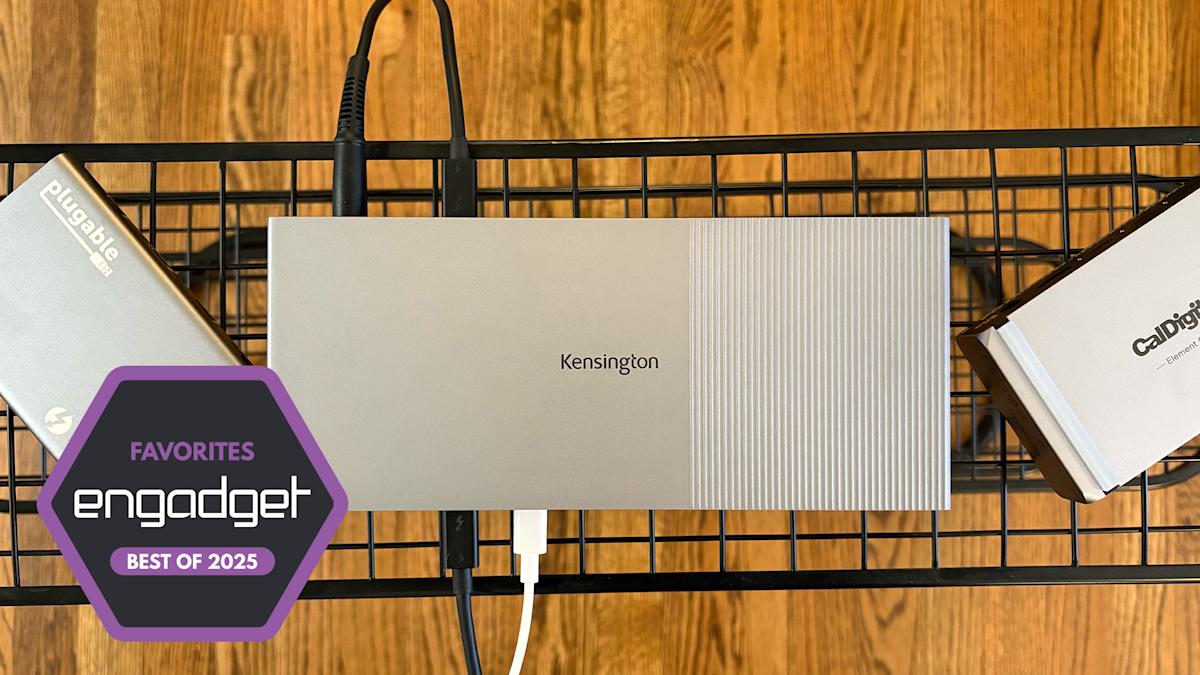
In today’s fast-paced digital world, the best docking stations for laptops are crucial for unlocking the full potential of your laptop’s capabilities. While laptops are becoming more powerful, they often lack the variety of ports needed to connect multiple devices, such as monitors, cameras, storage devices, and more. Docking stations are the perfect solution, offering additional ports and power through a single connection. This guide reviews some of the top docking stations in 2025, highlighting their features, pros, cons, and performance.
Key Features of the Best Docking Stations for Laptops
Docking stations for laptops vary in their capabilities, but they all share a common goal: to expand connectivity. These devices offer anywhere from seven to twelve ports, including USB-A, USB-C, Thunderbolt, HDMI, Ethernet, and more. Unlike smaller USB-C hubs, docking stations require an external power supply and support high-power delivery, allowing you to connect multiple devices simultaneously. Prices for docking stations typically range from $100 to $400, depending on the features and specifications.
CalDigit Element 5: The Thunderbolt 5 Powerhouse
The CalDigit Element 5 is a premium docking station that utilizes Thunderbolt 5 technology. This standard delivers faster data transfer speeds, higher video resolution, and increased power delivery. The Element 5 features three Thunderbolt 5 ports and two additional USB-C connections, making it ideal for users who need to connect multiple high-resolution monitors or perform fast data transfers. It’s compatible with MacBook Pro models and some high-end Windows laptops, but not everyone may need the full potential of Thunderbolt 5 just yet. At $300, it offers excellent value for future-proofing your setup, though it lacks Ethernet and SD card slots.
Satechi Dual Dock Stand: A Compact, Power-Free Solution
For MacBook users seeking simplicity, the Satechi Dual Dock Stand is an innovative solution. Unlike most docking stations, it doesn’t require an external power source, which makes it easier to set up. This dock connects to two USB-C ports on the side of your MacBook, allowing for dual monitor support. However, it doesn’t support Thunderbolt, which means it has limited power delivery and fewer ports compared to other models. At $150, it’s an excellent choice for those who need a basic, low-maintenance docking solution.
Kensington SD5000T5 EQ: Versatility and More Ports
For users who need a traditional docking station with an array of ports, the Kensington SD5000T5 EQ is a standout. Priced at $400, it features a variety of connections, including three Thunderbolt 5 ports, USB-A ports, SD and microSD card slots, and an Ethernet port. This dock is perfect for professionals who need to connect multiple devices, including external monitors and high-speed peripherals. Its 2.5Gbps Ethernet port ensures that you can enjoy fast internet speeds, making it an excellent choice for business or gaming setups.
Satechi Thunderbolt 4 Multi-Display: The All-Rounder
For a well-balanced docking station, the Satechi Thunderbolt 4 Multi-Display is an excellent option. It provides 10 downstream ports, including Thunderbolt 4, HDMI 2.0, and Ethernet. This dock can handle dual monitors and even supports up to four extended monitors on Windows laptops. Its sleek design and logical port arrangement make it a favorite among users who need versatility without compromising performance. At $300, it offers a great balance between features and price.
CalDigit TS4: The Ultimate for Power Users
For those who require the most robust docking station on the market, the CalDigit TS4 is a top contender. Offering an impressive 16 downstream ports, including Thunderbolt 4, USB-A, DisplayPort 1.4, and Ethernet, this docking station can handle all your peripheral devices and even support dual 4K monitors. It’s a great choice for power users who need to run a variety of devices simultaneously. While priced at $380, the TS4 offers exceptional performance for those who need a high-powered, reliable docking solution.
Conclusion: The Best Docking Station for Your Needs
When it comes to choosing the best docking station for laptops in 2025, the decision largely depends on your specific needs. If you require cutting-edge speed and video resolution, Thunderbolt 5 docks like the CalDigit Element 5 are an excellent investment. For a more compact solution without the need for power, the Satechi Dual Dock Stand is ideal. Ultimately, the best docking station for your laptop will enhance productivity, streamline your workspace, and provide reliable connections for all your devices.