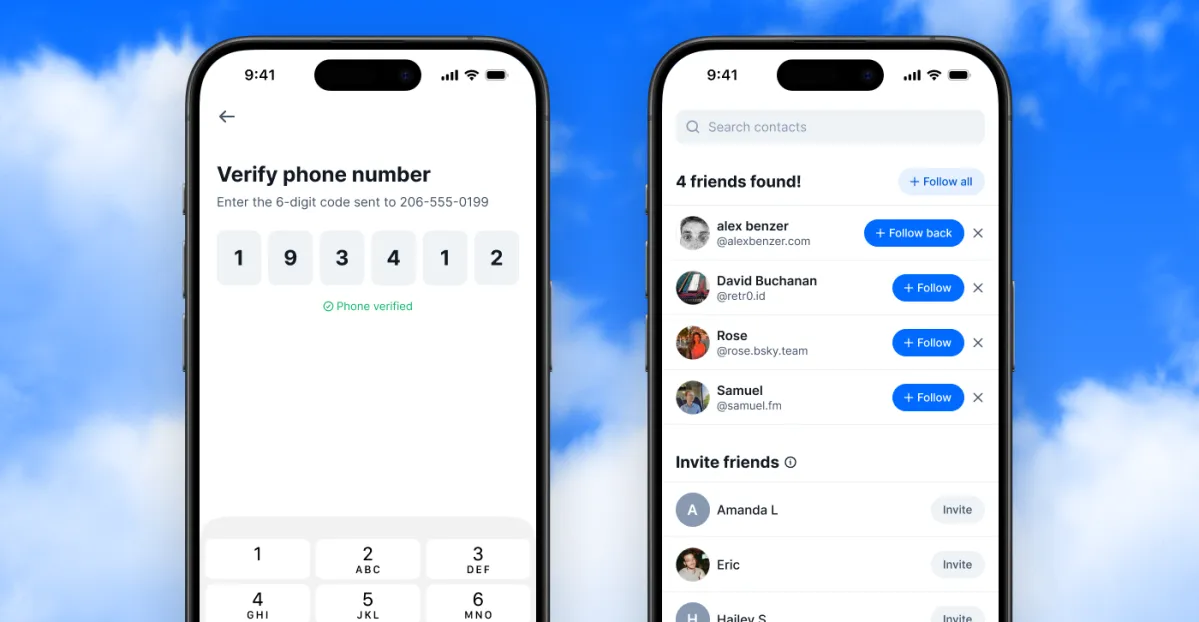
Bluesky is finally introducing a way to connect with people you already know, a feature that’s commonly found on other social networks but has been missing from this growing platform. Unlike its competitors, Bluesky promises it won’t compromise your privacy to make this happen.
The new Find Friends feature is described as “privacy-first by design.” Bluesky contrasts its approach with what it calls “poorly implemented or abused” processes found elsewhere. To use it, you verify your phone number, upload your contacts, and you’ll be notified only if someone from your contacts has also decided to use the feature.
Bluesky highlights several key differences in how it operates:
-
Mutual Participation Required: You’ll only connect with someone if both of you have each other in your contacts and have opted into the Find Friends feature. If you choose not to use it, you can’t be found through it. Your coworker won’t be able to search for you unless you’ve uploaded their number from your contacts.
-
Phone Number Verification First: Before any connections are made, you must verify that you own your phone number. This step helps prevent misuse, stopping anyone from uploading random numbers to gather information about other users.
-
Enhanced Data Protection: Even in an unlikely scenario where something goes wrong, your contact information is safe. Bluesky stores phone numbers as hashed pairs—your number combined with each of your contacts’ numbers—making it nearly impossible to reverse-engineer. This encryption is also linked to a hardware security key that is kept separate from their database.
-
Flexible Data Management: If you change your mind, you can delete your uploaded contacts and opt out at any time.
Currently, Find Friends is available to mobile app users in Australia, Brazil, Canada, France, Germany, Italy, Japan, the Netherlands, South Korea, Spain, Sweden, the UK, and the US. To access it, go to the Settings in the mobile app and select “find friends from contacts.” You can also invite friends to join Bluesky, but keep in mind that the invitation texts will come from your number, not the app.
Lastly, if it seems like you have no friends at first, don’t worry! It might take some time for matches to show up if you’re among the early users. As more people opt in, you should start to see more connections.