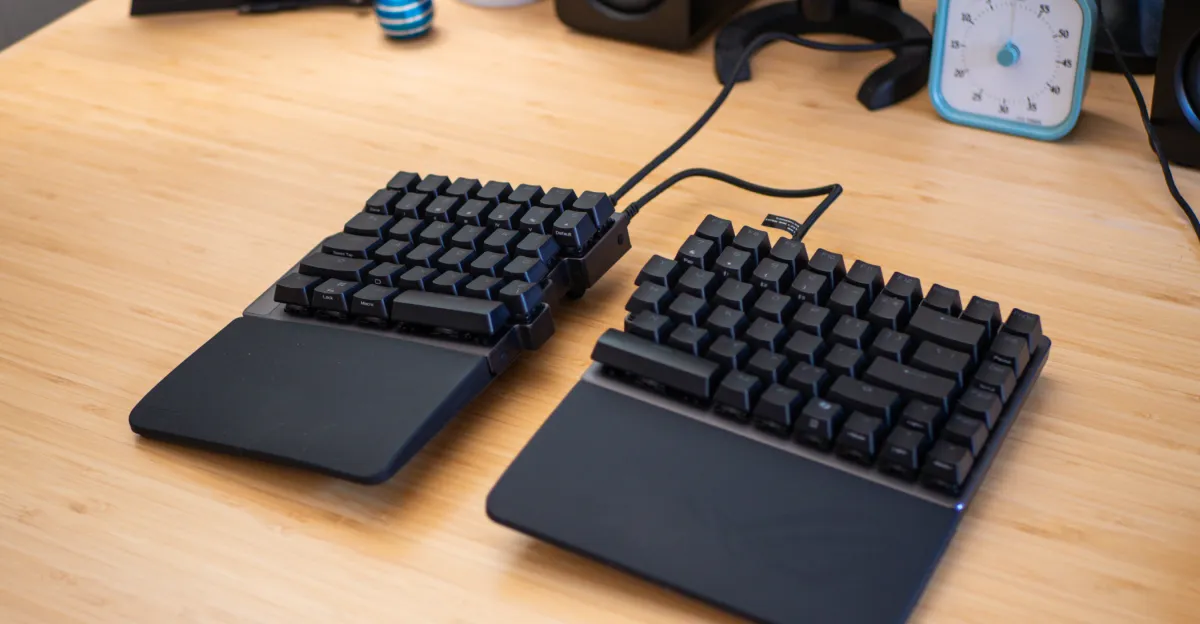
Hall effect gaming keyboards are becoming more popular, but Asus’ ROG Falcata stands out as the only split ergonomic option designed to relieve wrist and arm discomfort. Priced at $419.99, you might expect it to excel in both areas, but I have mixed feelings. In terms of Hall effect features, it does well, offering extensive customization like adjusting individual key actuation points by a hundredth of a millimeter. However, if you’re looking for true ergonomic benefits, you might feel disappointed. My main issue during testing was the limited tenting angles.
Tenting is crucial for split ergonomic keyboards, allowing you to elevate the inner sides for a more neutral arm and wrist position. The Falcata only supports up to seven degrees (or six with wrist rests), which is less than many prefer. I typically use a 15-degree tent with my Kinesis Freestyle Edge RGB. While the slight tenting may work for some, at this price point, I’d expect more options—and longer USB-C cables. The halves can only be separated by 10 inches, which doesn’t allow for optimal spacing for comfort. Sure, you can use your own longer cable, but for nearly $420, it feels like a missed opportunity.
Even without sufficient tenting, the Falcata offers something my daily driver doesn’t. It retains a 75-percent layout (minus some macro keys), so there’s no learning curve. Plus, it’s more aesthetically pleasing and fits easily on my desk. It’s also super quiet to type on—quieter than Cherry MX Blues, which is my usual reference.
The Falcata includes a host of gamer-friendly features, allowing you to toggle rapid trigger and Speed Tap—designed to give players an edge in competitive settings. It connects either wired, via Bluetooth, or through 2.4GHz wireless (with both halves still linked via USB-C), supporting polling rates up to 8,000Hz in most modes except Bluetooth.
One of the standout features of Hall effect switches is that they are analog, enabling smooth sensitivity adjustments unlike typical binary switches. You can set the actuation distance for each key, allowing for rapid commands with minimal physical movement. However, typing can be a bit tricky with default settings; I accidentally typed strings of letters due to applying too much pressure on the home keys. The Falcata offers various ways to fine-tune this, and you can adjust settings using Asus’ Gear Link app or through the keyboard’s multipurpose scroll wheel. While the scroll wheel method is convenient, I found the app easier for detailed adjustments.
Every key on the Falcata can serve as a macro. Although I’m used to dedicated macro keys on my Kinesis, assigning functions via Gear Link is straightforward. You can even program multiple commands based on how far you press a key down. For example, a light press on ‘W’ could move your character forward, while a full press could also include sprinting and reloading in games. This level of customization is typical for Hall effect keyboards but is a first for an ergonomic design.
Regarding rapid trigger and Speed Tap: they offer advantages in fast-paced gaming that might not be feasible due to certain reflex speeds or keyboard limitations. Rapid trigger, activated by a switch near the multipurpose dial, allows key actuation to reset immediately upon release, which means you can input commands faster than many competitors’ keyboards. Speed Tap lets you move continuously when pressing opposing keys (like A and D), prioritizing your last input and allowing responses that mimic an automatic assist. However, be careful—Valve prohibits this feature in Counter-Strike 2 for fairness.
For the Falcata to be worth your investment, you should genuinely want both Hall effect technology and a split ergonomic design. Given its limited tenting options, you may want to try it out beforehand, though finding one in a store might be a challenge. Just ensure you can return it if it doesn’t meet your needs.
If you’re okay missing some advanced Hall effect features, the Kinesis Freestyle Edge RGB Plus is a solid split ergonomic keyboard at less than half the price. It offers hot-swappable mechanical switches (either linear or tactile) and supports a tenting angle of up to 15 degrees. While it’s bulkier and wired with potentially louder switches, it excels ergonomically.
Photography by Cameron Faulkner / The Verge